

Available

Hartfelt Stream Bar

A cosy, customisable bar for co-working and study streams.

  • Twitch
  • OBS Studio
  • Easy Setup
  • No Code Needed

The Hartfelt Stream Bar sits along the bottom (or top) of your stream and keeps your co-working room feeling warm and alive. Everyone in chat can share what they’re working on, join your focus sessions, collect little rewards and watch the bar change with the weather and the seasons.

Made for co-working and study streams

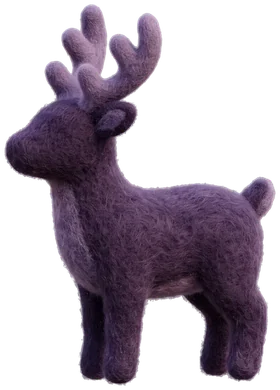
Your viewers use the task commands they already know (!task, !now, !later, !done), and you and your mods run a pomodoro timer straight from chat. A side task list shows what the whole room is working on, and a little familiar naps while everyone focuses.

Yours to style

Eight themes, seasonal touches, your own colours and fonts, and lots of little details to switch on and off. Everything is set up in the customiser on this site, and your changes appear on stream within a minute. There’s nothing to download.

What's inside

Little details, lovingly made

  • Now playing

    Show the song you're playing from Spotify, Apple Music, YouTube Music and more, with an album-art glow and a progress bar that picks up the cover's colours.

  • Co-working tasks

    Familiar !task, !now, !later and !done commands, shown on the bar and in a side task list.

  • Pomodoro timer

    You and your mods run focus and break rounds from chat, with focus stats, break reminders and sounds.

  • Goals that celebrate

    Follower, sub, bit, tip or manual goals with a progress ring and a celebration when you hit one.

  • Weather and seasons

    Live weather, golden hour, moon phases and seasonal touches gently change how the bar looks.

  • Community extras

    Focus badges, streaks, polls, a gratitude wall, check-in stamp cards, oracle cards and a little familiar.

What you'll need

  • A Twitch channel
  • OBS Studio, or any streaming app that can show a browser source
  • Optional: Spotify, or a free Last.fm account for Apple Music, YouTube Music, Deezer and Tidal, to show what you are playing

Questions

Good to know

Do I need to know how to code?

Not at all. Everything is set up here on the website: pick your colours and sections in the customiser, copy your private OBS link, and add it to OBS as a browser source. Anything you change later shows on your stream by itself within a minute.

Can my viewers use the commands?

Yes. Task, join, goal and fun commands are open to everyone. Timer and bar controls are for you and your mods.

Will it clash with another task bot?

The commands are the familiar ones, so if another task bot is also in your chat, both will react. Time one out or remove it.

Does Spotify cost extra?

The bar doesn't charge for it, but Spotify's rules mean the account that owns the developer app needs Spotify Premium.

What happens when I buy?

You pay securely by card right here, sign in with Twitch, and your access switches on straight away. If anything goes wrong, get in touch and I'll sort it.

Ready to add a little heart to your stream?

Opening soon